



Description
All 7 lessons are complete — learning about rights and jobs that come with using digital tools, learning how to keep our personal data safe online, judge whether a source of information can be trusted, recognize common parts found in digital and media texts, learning how a text's form connects to its message and the situation it was made in, learning the four stages of the design process: plan, make, test, and improve, and write online messages that are respectful and welcoming.
Every lesson comes with a full teaching set: a lesson plan, a worksheet, homework, and a handout. The unit also includes 7 exit cards, 2 quizzes, a project, and an assignment.

Grade 6 · ready for Monday
What's in this unit
-
1

Plan
7 lesson plans, each one 40-minute period, with what to say and what to watch for.
-
2
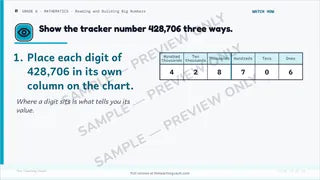
Slides
The lesson on the board, one step at a time, with each answer on the next slide.
-
3

Printouts
A worksheet, a handout and homework for every lesson.
-
4

Assessment
7 exit cards, 2 quizzes, a project, an assignment.
-
5
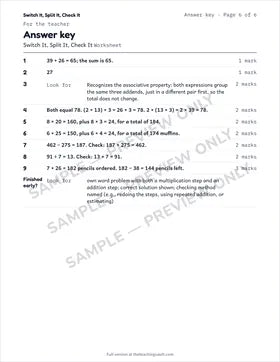
Answer keys
At the back of every worksheet, homework and assessment.


The 7 lessons
- 1
 Your Rights, Your Responsibilities, Your Digital Identitylearning about rights and jobs that come with using digital tools and learning how our online choices build a digital identity over time
 - 2Staying Safe, Well, and Kind Onlinelearning how to keep our personal data safe online and learning polite habits that help everyone feel safe online
- 3Checking Your Sources: Is This Information Reliable?judge whether a source of information can be trusted and compare more than one source before deciding what is true
- 4How Digital Texts Are Built to Grab Your Attentionrecognize common parts found in digital and media texts and learning how a creator's choices affect the people watching or reading
- 5Why Was This Text Made This Way?learning how a text's form connects to its message and the situation it was made in and learning how the audience and purpose shape the choices a creator makes
- 6Designing a Solution: Plan, Make, Test, Improvelearning the four stages of the design process: plan, make, test, and improve and choose a digital or media tool that fits a real problem
- 7Welcoming Everyone in an Online Communitywrite online messages that are respectful and welcoming and notice different cultural backgrounds when we work online together

- Read-Me-First — open it before anything else; one page that says what each file is for
- One numbered zip per lesson: lesson plan, worksheet, homework, handout and a one-page lesson read-me
- A zip for the 7 exit cards; a zip for the assessments: 2 quizzes, a project, and an assignment
- Every file as a print-ready PDF and an editable Word document; the lesson plan also as a PowerPoint deck to project
In every lesson
- Lesson plan
- Worksheet
- Homework
- Handout
For the whole unit
- 7 exit cards
- 2 quizzes
- A project
- An assignment
- Every format included — PDF, DOCX & PPTX
- Your Rights, Your Responsibilities, Your Digital Identity
- Staying Safe, Well, and Kind Online
- Checking Your Sources: Is This Information Reliable?
- How Digital Texts Are Built to Grab Your Attention
- Why Was This Text Made This Way?
- Designing a Solution: Plan, Make, Test, Improve
- Welcoming Everyone in an Online Community
- Each lesson fits one 40-minute period; the plan is written for a substitute to teach cold
- Prints cleanly in black and white; nothing depends on colour
- Answer keys on the teacher pages at the end of every worksheet, homework and assessment
- In My files right away, and by email.
- Zips open on any computer; on a phone, save them to Files or Drive first
- Licensed to one teacher for one classroom — not for sharing with colleagues or your school. Full licence terms
- Digital files are final sale; if something is wrong with a file we'll fix it
- Questions: support@theteachingvault.com
Reviews
You may also like

Language
Grade 6 Applications, Connections, and Contributions — Full Unit Try Lesson 1 free3 lessons

Language
Grade 6 Oral and Non-Verbal Communication — Full Unit Try Lesson 1 free5 lessons

Language
Grade 6 Language Foundations for Reading and Writing — Full Unit Try Lesson 1 free3 lessons

Language
Grade 6 Language Conventions for Reading and Writing — Full Unit Try Lesson 1 free3 lessons


Language
Grade 6 Developing Ideas and Organizing Content — Full Unit Try Lesson 1 free5 lessons


Language
Grade 6 Publishing, Presenting, and Reflecting — Full Unit Try Lesson 1 free3 lessons
